Your Thumbnail Is Costing You Views (Here’s Why)
You’ve put in hours on a video. The content is solid. You publish, you wait. Crickets. Sound familiar? The reality is this – if your thumbnail isn’t good, hardly anyone will watch your video. The thumbnail is the storefront. If it isn’t interesting, they don’t shop.

This is where free face swap online is one of the most useful tools for YouTube creators lately. Not for novelty or novelty, but for actually designing better thumbnails, at scale. Let’s look at how it works and how you can do it without spending a fortune.
Why Faces Work in Thumbnails, by the Science
We’re drawn to faces. This is not a hypothesis, it’s been proven. We respond to facial expressions in a blink. Even before a decision is made to click, humans have already reacted to seeing a face in a thumbnail.
The thumbnails that get clicked in YouTube videos have one thing in common: a human face. Wide eyes. Open mouth. A strong emotional reaction. These aren’t accidents. YouTube creators spend hours crafting the right face or searching for the perfect face.
But what if your expression in the video is less-than-expressive? What if you didn’t get the right “shock” expression? What if you’re not the right face to attract the right audience?
Enter the humble face swap, which fixes a problem.
The Impact of an AI Face Swap on Thumbnails
The basic idea behind an ai face swap tool is that it swaps a face in one picture for another, matching skin tones, lighting, and angles to make it look like the face has always been there. Early versions were clunky. Shadows didn’t match. Edges looked pasted on. You could always tell.
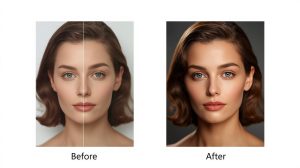
Nowadays, with the help of AI, it’s another story. It’s all smooth. Expression mapping has gotten scarily accurate. You can take the slight surprise look and intensify it, or use a stock photo face to better suit the mood of the video.
So why is this useful for thumbnails?
You record a video on, let’s say, a product review. You’re not bad in your B-roll shots, but you’re not super expressive either. Thanks to a face swap, you can either exaggerate your facial expression or test the thumbnail with different facial expressions (happiness, surprise, anger, etc.)
Free Face Swap Online: Getting Started for Free
Not all content creators can afford to pay for subscriptions. But there are actually some pretty decent free face swap online tools that will do an adequate job for thumbnail images.
There are a few web-based apps that allow you to upload a photo, do a face swap and download. No software installation. No account sometimes. Upload, swap, download.
Creating a Better Thumbnail with Face Swap
Here’s an easy way to get it done:
Step 1: Create your base picture. Grab a screen capture or snap a photo. This should be well-lit and fairly front-on. The AI can cope with a bit of an angle, but not too much.
Step 2: Locate the feeling gap. Ask yourself – what emotion should this evoke? Curiosity? Shock? Excitement? If your face in the image doesn’t match that, you have a gap.
Step 3: Find or create your source face. This might be your own face from another image with a more pronounced emotion. You could have a collection of headshots for this. Or you could use a stock face that matches the mood, like for faceless YouTube thumbnails.
Step 4: Swap and adjust. Load the two pictures into the software. Preview the result. You should be able to control the blend and feathering.
Step 5: Add graphic elements and text. The face is the hook. But the thumbnail also needs contrast and hierarchy – perhaps bold text, an arrow, or other graphic.
A/B Testing Thumbnails
Face swap is step one. The real power is testing.
YouTube’s A/B testing feature (you have to have it enabled) allows you to test two sets of thumbnails. Use it. Compare the original to the face-swapped version for 48 to 72 hours. Watch the click-through rate.
You’ll sometimes be surprised. Sometimes the less extreme expression works better because it’s more relatable. Again, always trust the data.
Some videographers test three or four thumbnails per video, and move fast. Eventually, you get a feel for what works for your target audience.
What Not to Do When Creating Thumbnails
Over-processing. If the face is too flat, too flat, or clearly a mask, people will notice. There’s something off-putting about an uncanny valley face. Leave some natural texture.
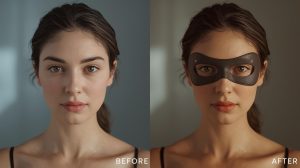
Mismatched lighting. If you’ve replaced a face which is lit from the left with a background which is lit from the right, the brain knows there’s something off. Use faces lit from the same direction as your subject.
Don’t forget the small thumbnail. Thumbnails are most often viewed on a mobile device at the size of a postage stamp. Your image may look great at full size, but can become blurry at small sizes. Make sure to preview your thumbnails at small sizes.
Using the same expression every time. If all your thumbnails look like a deer caught in headlights, your channel will look like a parody. Vary the emotional register. Vary the look of your video library.
When Face Swapping Pays Off
The best results aren’t for all videos. The best results are:
Videos where your genuine facial expression didn’t come out the way you planned. How-to videos where the topic isn’t inherently exciting, but needs to be reeled in with the bait of humanity. Channels without faces that are just starting to include a human element.
If you’re making videos with your face and your audience knows you, focus on enhancing your expressions rather than replacing them. Consistency breeds familiarity.
Thumbnails matter. They’re arguably the most important 30 seconds of work you’ll do for any given video. AI face swap offerings offer you one more tool to affect that outcome. Use it wisely, experiment relentlessly and pay attention to the data.