You know what most people do with an ai free face swap app? Download it, put their face on a film star and laugh for 5 seconds, and then never use it again. That’s fine. But there’s a lot more to these apps than that, and once you know where to look, you’re going to kick yourself for not discovering it sooner.
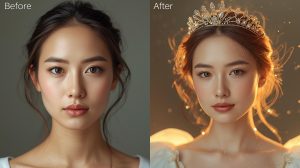
Let’s take a look at what’s not featured in the App Store screenshots.
You can do batch processing, really
You’ve probably been swapping faces one photo at a time. Painful. Slow. Totally unnecessary.
Some of the more sophisticated apps (the desktop ones in particular) can batch process. You can load a folder of photos, choose your source face, and replace faces in scores of photos with a single click. Wedding photographers figured this out months ago, and they’re using it to produce themed photo sets in minutes rather than hours.
Look in the settings of your app. Look for words like “bulk,” “batch,” or “multi-image.” You’ll probably have to click “Advanced” or “Pro Tools.” You don’t want to put it on the front screen because it’s confusing.
The Consistency Engine Nobody Talks About
Here’s a feature that sets apart amateurs from content creators: face consistency locking.
When creating a video or a set of images with a fictional character, you want the face to look consistent across all the images. Most apps include a “reference lock” or “anchor face,” which locks your face model. All renderings use this as the reference.
If you don’t have this, your character’s face will subtly shift from frame to frame. Eye shape changes. Jaw softens. Something is off, but you can’t put your finger on it. Fixing the reference face to a locked position stops that in its tracks.
Video Frame Interpolation Is Hidden Gold
Still images are easy. Video is where it gets complicated.
Replacing a face in a video is done frame by frame. Sometimes it misses. The result? Flickering—that flicker effect where the face appears to blink on and off.
Use frame interpolation, and most mid-range apps do it without telling you. Look for a “smoothing” or “temporal consistency” setting in your video export options. Crank it up. It makes a huge difference—it transforms your output from ransom demand to watchable.
Free Face Swap Tiers Are More Capable Than They Pretend
The thing is, most free face swaps aren’t technically limited—they’re strategically limited. The processing power is there. The features are in the code. The devs just switch off a feature for the free level.
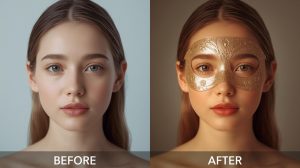
What does this mean in practice? It means you can access semi-pro features by using the web app instead of the mobile app, or by kicking off workflows via a desktop browser. Other apps allow you to export higher-resolution output for free during the early morning and late evening. Others provide access to all features during trial periods that restart if you clear your browser cache.
Is it a workaround? Sure. Is it worth knowing? Absolutely.
The Expression Transfer Mode
Everyone knows about face swapping. Almost nobody knows about expression transfer.
This is another feature that doesn’t swap the face, but the expressions and micro-facial expressions from one face to another. You capture a video of yourself laughing and transfer the muscle movements to a still portrait. The portrait laughs—naturally, with your specific way of laughing.
It’s quite spooky that it works so well. It might be called “expression mimic,” “emotion transfer,” or even “facial reenactment.” It’s usually tucked away in the experimental or beta section of the app, which is why most people stumble over it by accident three months after downloading.
Multi-Face Simultaneous Swapping
With basic face swap apps, group photos are hell. You’ll have to do one face, export, re-import, do another face, etc. Fifteen minutes for one photo. Absolutely not.
The better apps do multiple faces in one go. You assign each face to each face you want to replace. Five faces in a group photo? Five clicks, one run, done.
It’s all about the “face mapping” panel—which you usually access by right-clicking or long-pressing on the faces in the preview. The target faces are given numbered badges. You assign your source faces to those numbers. Run it once.
Style Blending Beyond Basic Swaps
Basic face swapping is Face A on Body B. That’s table stakes. What’s less known is that many apps support style blending—where you can set the amount of the original face that remains.
It’s like the transparency setting in Photoshop. Use a blend of 30% and you’ll get someone who looks a little bit like the original. Set it at 90% and you’ve almost completely swapped it. This is great if you want to make someone younger or older, or a character that resembles two different people.
The slider is usually named “blend,” “influence,” or “source weight.” It’s set to 100% (complete replacement) by default, because that’s what people think of when they use the tool. But moving it back gives you a whole new set of creative options.
Background-Aware Processing
The first face swaps were face-only. They didn’t care about the scene. The faces would often have mismatched lighting, with dark shadows cast on a bright background, for example.
Today’s apps have a lighting match pass. It measures the light in the background scene and matches the lighting on the new face. This isn’t always successful, but when it is, it’s believable.
You can normally run it manually by locating “environment-aware mode” or “scene lighting match” in the output quality settings. Some apps don’t run it automatically to speed things up. Doing it manually and running it explicitly will get you better results.
The Audit Log Nobody Checks
This is more of a productivity feature. A handful of apps keep an audit log of every swap you perform—including the date and time, the source and output files.
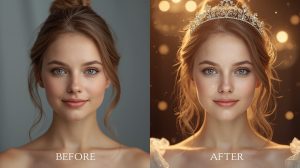
This is dull stuff until you lose an output file and have to re-export it. It has all the info you need to set up your swap again. Other apps even include a thumbnail of the output. You can export again from scratch.
It’s under “History,” “Activity,” or “Session Log.” Look at yours now—you may have outputs you didn’t know about.